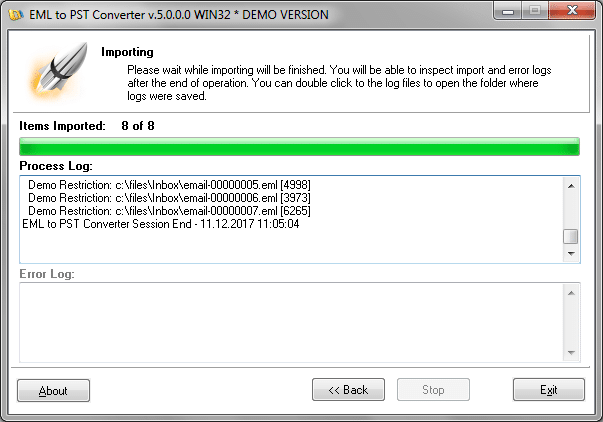
This article covers Apple Mail to Outlook conversion i.e. how to convert messages from the standard Apple Mail client and access it through a Microsoft Outlook.
Extracting Apple Mail messages to a file
The official Mac OS X mail client is named Mail, although most often it is called Apple Mail or Mac Mail. The first step for transferring mail from Apple Mail to MS Outlook is to save all of the messages in the current e-mail database in the standard EML e-mail format (or .emlx): this function is included in almost all mail clients, including Apple Mail. After the export (extraction) of letters from Apple Mail to the file has been completed, the messages can be copied to a computer that has MS Outlook installed for subsequent EMLX to Outlook import.

MS Outlook import of mail messages
MS Outlook saves all user data in Personal Folders files, in the Outlook PST file format. Mail messages themselves are stored in the MSG format. Since functional MS Outlook EML support is absent, at this point it is necessary to perform some steps to convert the existing e-mail database into an Outlook-compatible format (msg or pst). The solution for this problem is to use EML to PST Converter, a program which converts e-mail files into .msg files for subsequent MS Outlook import. But a faster and more effective MS Outlook import method takes advantage of another feature in the EML to PST program, which allows for combining Outlook EML messages directly into a .pst file.
Use the EML to PST Converter to import EML files to Outlook
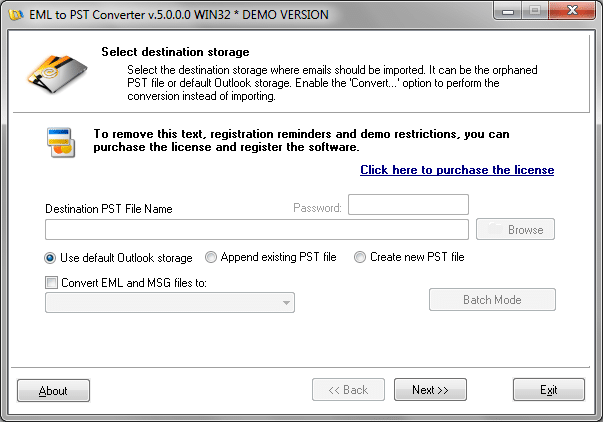
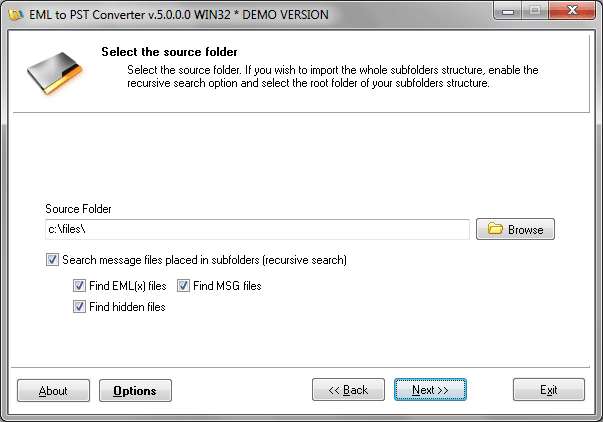
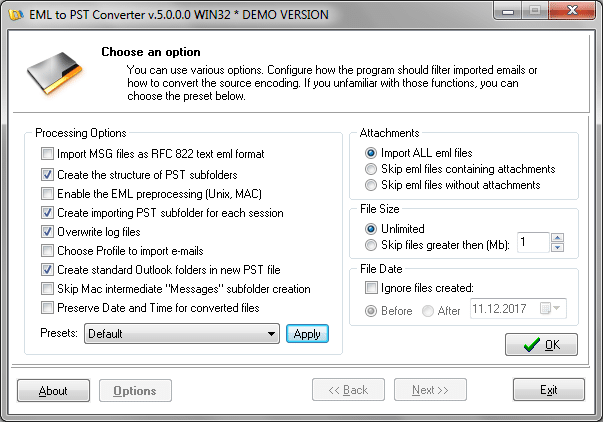
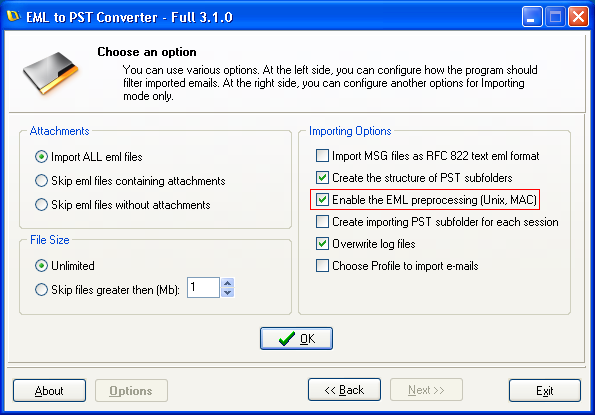
EML to PST Converter is designed as a wizard, so its interface is a sequence of dialog windows in which the user indicates various settings. When combining .eml messages into a .pst file, on the first page of the wizard it is necessary to specify the personal folder file type (update the existing file or create a new one) and its location. On the second page, the user indicates the path to the e-mail source files – in our case, the files transferred from the Apple Mail client. Note that if the option for recursive searching of e-mail files in subfolders is enabled, it is enough to simply indicate the path to the root folder of the e-mail database. If you wish to use the imported or converted messages in the Windows system in the future, it is very important to include a special option “Enable the EML preprocessing (Unix, MAC)“, which converts all processed emails to a compatible format.
A distinguishing feature of EML to PST Converter is its speed – the program sorts through large volumes of information so quickly that the user receives a ready MS Outlook PST file in just minutes.
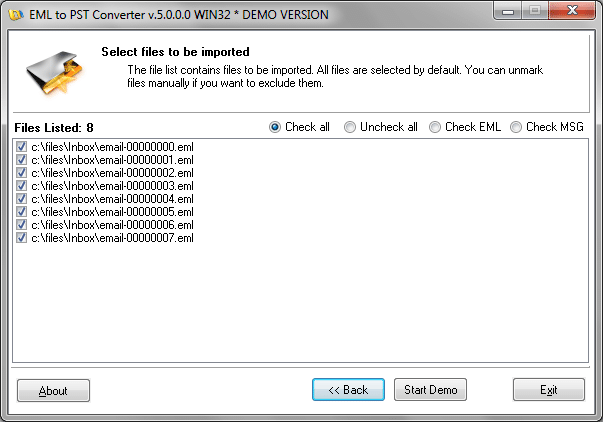
EML to PST Converter screenshots:
User friendly program interface makes the emails conversion a matter of minutes